

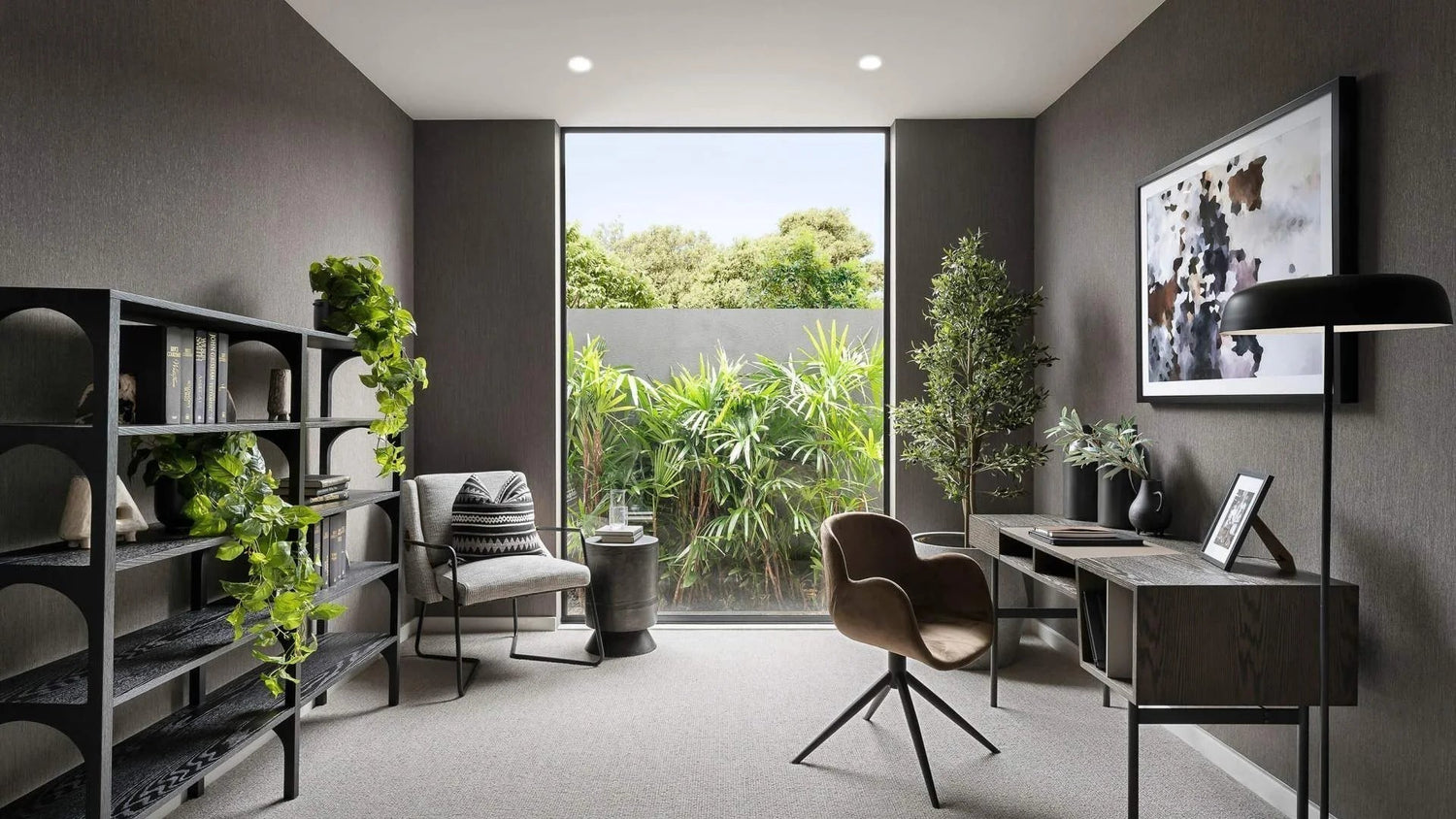
Whether you’re grinding 9-to-5 from home or running a side hustle, your workspace setup has a direct impact on your focus, posture, and productivity. This guide walks you through every single step from picking the right spot in your home to choosing the furniture that actually works for you.
Why Your Home Office Layout Matters More Than You Think
Let’s be real, working from your couch sounds great until your lower back is screaming at you by noon and you’ve somehow rewatched three episodes of whatever’s on TV. Sound familiar? You’re not alone. Millions of remote workers across the US are dealing with the same problem: no dedicated workspace, no structure, no focus.
A poorly planned home office setup doesn’t just hurt your productivity it quietly drains your energy, clutters your mental space, and over time, does a real number on your posture. The good news? You don’t need a massive room or a massive budget to fix it.
Here’s what a well-designed home office layout actually gives you:
- Better focus a designated workspace tells your brain it’s go-time
- Better posture and physical health the right furniture setup reduces neck, shoulder, and back strain
- A professional vibe whether it’s for Zoom calls or just your own peace of mind, your space should look the part
- And it all starts with the right pieces. A proper office desk and a supportive ergonomic chair are the foundation of everything we’re about to cover. Let’s get into it.
Step 1 – Choose the Right Location for Your Home Office
Before you buy a single piece of furniture, you need to figure out where your home office is actually going to live. This step is underrated and a lot of people skip it, then wonder why their setup never feels quite right.
Dedicated Room vs. Shared Space
Got a spare room? Lucky you use it. A dedicated room gives you the ability to close the door, both literally and mentally. You can fully commit to a professional layout and keep work life from bleeding into your home life.
But most of us aren’t working with a bonus room. Here’s the deal depending on your situation:
- Bedroom office: Works fine if you set it up in a corner away from the bed. The trick is visual separation: a bookcase or a rug can do the heavy lifting here.
- Living room corner: Great for open floor plans. An L-shaped desk or a compact writing desk keeps things tidy without taking over the whole room.
- Small apartment setup: Think vertical. Wall shelves, compact desks, and smart storage are your best friends. We’ll get into that more in Step 5.
Lighting & Noise Considerations
Here’s something most people don’t think about until it’s too late: lighting and noise will make or break your productivity more than almost anything else.
Natural light is genuinely one of the biggest productivity boosters out there. Studies consistently show that people who work near windows feel more alert and focused. Position your desk so natural light comes in from the side not directly behind your monitor (glare is awful) and not in front of you either (squinting all day is a vibe killer).
For light control throughout the day, a good set of curtains makes a huge difference. You want to be able to let the morning sun in without it blinding you by afternoon. As for noise if you’re in a shared space, even a simple area rug and some soft furnishings can reduce echo and help you stay in your zone.
And if your space needs a lighting boost, check out the lighting collection for options that work in home office setups.
Step 2 – Pick the Right Desk (Your Workspace Foundation)
Your desk is the single most important piece of furniture in your home office. Everything else your monitor, your chair position, your storage revolves around it. So yeah, it’s worth taking your time on this one.
Types of Desks You Should Consider
Not every desk is built for every person. Here’s a quick breakdown of what’s out there and what actually works:
- Executive desks: These are the big, bold setups, wide surfaces, built-in drawers, a look that says “I mean business.” If you’ve got the space and want a premium home office feel, an executive desk is hard to beat.
- Writing & compact desks: Perfect for small spaces or minimalist setups. Clean lines, no bulk, and they tuck into corners beautifully. Browse the writing desks collection if you want something sleek and no-fuss.
- Storage desks & workstations: These are the MVPs for people who need everything within reach: shelves, drawers, USB charging ports, cable management built right in. If your desk doubles as your command center, look for models with integrated storage shelves and cable management features.
Desk Placement Tips
Once you’ve picked your desk, placement matters just as much as the desk itself.
- Facing the wall: Reduces distractions and maximizes focus. Great for deep work sessions.
- Facing a window: Boosts mood and energy just to make sure the screen doesn’t get too much glare.
- L-shaped setups: Ideal for multi-monitor arrangements or if you need a lot of surface area. An L-shape naturally creates a “work zone” and keeps your primary workspace separate from reference materials or a second screen.
Ready to find your match? Check out the full desks collection to see everything available.
Step 3 – Choose an Ergonomic Chair
Here’s the part where a lot of people try to cut corners and their spine pays the price. If you’re spending 6, 8, or 10 hours a day sitting, the chair you’re sitting in is arguably more important than the desk.
Why Ergonomics = Productivity
Back pain is the number one reason remote workers lose focus and call it a day early. It’s not a willpower issue, it's a furniture issue. When you’re uncomfortable, your brain is constantly getting distracted by physical discomfort. Fix the chair, fix the focus. It really is that simple.
A quality ergonomic chair doesn’t just feel better, it helps you sit correctly, which reduces fatigue and lets you actually stay productive for longer stretches.
Features to Look For
Not all “ergonomic” chairs are created equal. Here’s what actually matters when you’re shopping:
- Lumbar support: Non-negotiable. Your lower back needs support that follows its natural curve.
- Adjustable seat height: Your feet should be flat on the floor with your thighs parallel to the ground.
- Breathable mesh or material: If you’re sitting all day, airflow keeps you comfortable without that “stuck to the seat” feeling by 3 PM.
Armrest adjustability: Your elbows should rest comfortably without forcing your shoulders up or hunching forward.
Step 4 – Optimize Your Layout for Productivity
You’ve got the space, the desk, and the chair. Now let’s talk about how to actually arrange everything so your workflow is smooth and your brain stays in the zone.
The “Work Triangle” Concept
Borrowed from kitchen design, the work triangle idea applies perfectly to a home office: your three main zones desk, storage, and movement space should form a natural triangle that keeps you efficient without constant awkward reaching, spinning, or getting up every five minutes.
Think of it like this: your most-used items should never require you to leave your chair. Everything else should be within two steps. This reduces friction and keeps your workflow uninterrupted.
Keep Essentials Within Reach
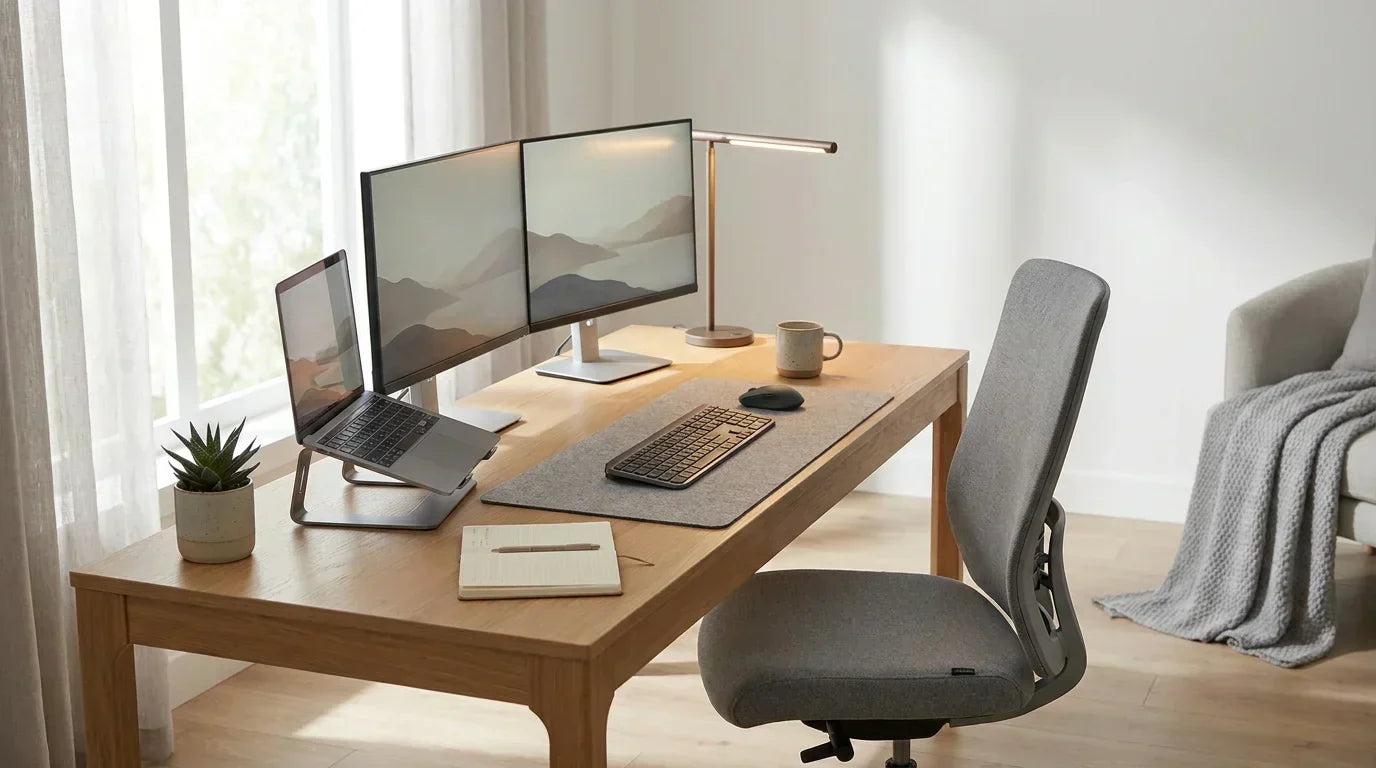
- Keyboard and mouse: Positioned so your elbows are at roughly a 90-degree angle
- Monitor height: The top of your screen should be at or just below eye level use a monitor riser if needed
- Frequently used items: Notebooks, pens, headphones within arm’s reach, not across the room
The right accessories keep your surface clear and your head clearer.
Step 5 – Add Smart Storage Solutions
Clutter is the silent productivity killer. You might not notice it at first, but a messy workspace creates low-level mental stress that drains your focus all day long. The fix isn’t just tidying up it’s building a setup where clutter has nowhere to live in the first place.
Declutter Your Workspace
- Cabinets: Great for files, supplies, or anything you want out of sight but easy to access. Check out the cabinets collection for options that fit a home office aesthetic.
- File cabinets: If you’re dealing with a lot of paperwork, a dedicated file cabinet is worth every penny.
- Drawer desks: Storage built right into your desk. Less furniture, more function.
Vertical Storage (Huge for Small Spaces)
This one is a game-changer if you’re working with limited square footage. Most people think about floor space but your walls are basically free real estate.
- Bookcases: Don’t just think books use them for binders, boxes, plants, and anything that needs a home. Browse the bookcases collection to find styles that match your office vibe.
- Wall shelves: Clean, minimal, and incredibly functional. The shelves collection has options that work in any room style.
Step 6 – Lighting Setup That Boosts Focus
Bad lighting is one of the most underestimated productivity killers out there. Eye strain, headaches, and that 2 PM slump? A lot of it comes down to how your space is lit. The good news is this is one of the easiest things to fix.
Layered Lighting Strategy
- Ambient lighting: The base layer ceiling lights or floor lamps that fill the whole room with soft, even light. No harsh shadows, no dark corners.
- Task lighting: A dedicated desk lamp pointed at your workspace. This is your primary work light and should be bright enough that you’re not squinting at your screen.
- Accent lighting: Optional but underrated. A lamp in the corner or backlighting behind your monitor reduces the contrast between your screen and the surrounding room, which is easier on your eyes during long sessions.
Best Desk Lighting Tips
- Position your desk lamp to the side (not directly above or behind you) to avoid glare on your screen
- Go for adjustable LED lamps they’re energy-efficient, long-lasting, and you can tweak the color temperature based on time of day
Explore the lighting collection to find desk lamps and ambient options that match your setup.
Step 7 – Design & Decor That Inspires You
This is the part that makes your home office feel like yours. Functionality is the goal, but if you walk into your workspace every morning and it feels like a dentist’s waiting room, you’re going to have a hard time getting pumped up about your day.
Minimal vs. Aesthetic Setup
There’s no right answer here, it comes down to what kind of environment helps you thrive. Some people do their best work in a clean, stripped-down setup where there’s nothing to distract the eye. Others need a little warmth, color, and personality to feel comfortable and creative.
The key is intentionality. Every item in your office should either serve a function or bring you genuine joy. If it does neither, it’s just clutter.
Decor Ideas That Actually Work
- Wall art: A great piece of art can completely transform the energy of a space. Browse the wall art collection for options that complement a home office.
- Plants: Even a single low-maintenance desk plant, a pothos, a succulent, a snake plant adds life to a room and has been shown to reduce stress. No green thumb required.
- Clocks: A wall clock keeps you on track without constantly glancing at your phone. The clocks collection has styles that work in everything from minimalist to rustic setups.
Step 8 – Layout Ideas Based on Room Size
Not everyone is working with the same canvas. Here’s how to approach your layout depending on how much space you’ve got to work with.
Small Home Office Layout Ideas
- A corner desk is your best friend it uses space that would otherwise go to waste and gives you a surprisingly generous work surface.
- Stack your storage vertically with tall bookcases or floating shelves
- Keep your color palette light whites, light grays, and natural wood tones make a small space feel open rather than cramped
Medium Space Layout
- An L-shaped desk opens up a lot of possibilities space for a dual monitor setup and still room for a dedicated reference area
- Add a filing cabinet or small bookcase within your work triangle for easy access to materials
- A dual monitor setup is a genuine productivity upgrade if your work involves research, writing, or multitasking
Large Home Office Layout
- A full-size executive desk as the centerpiece makes a bold statement
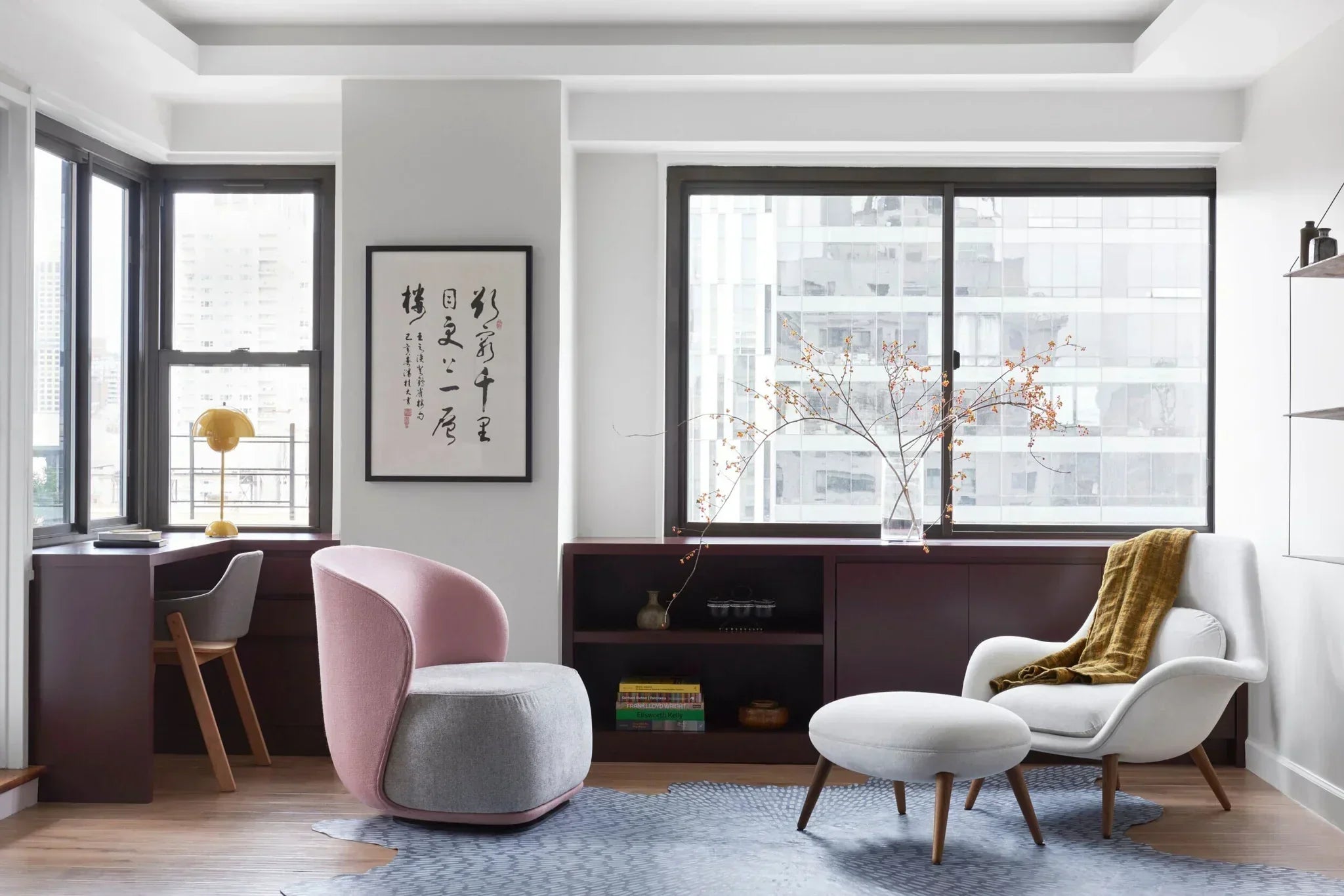
- A dedicated reading or lounge corner with a comfortable chair from the living room chairs or recliner collection works great for hybrid spaces
- A full wall of built-in style storage using bookcases and cabinets
Common Home Office Layout Mistakes to Avoid
- Choosing the wrong chair: Don’t sacrifice ergonomics for aesthetics. A beautiful chair that destroys your back after two hours is not a good deal.
- Ignoring lighting until it’s a problem: Eye strain and headaches are your workspace telling you the lighting is off. Fix it before it becomes a daily issue.
- Letting clutter pile up: A messy desk creates decision fatigue and low-level stress throughout your workday. Build storage into your setup from day one.
- Ignoring ergonomics entirely: Monitor too low, chair too high, keyboard at the wrong angle these small misalignments add up to real pain over weeks and months.
- Not accounting for noise: If your workspace is in a high-traffic area, you’ll regret it by the end of week one.
- Buying a desk that’s too small: It always seems fine at the store. Then you get it home and realize your monitor, keyboard, mouse, notebook, and coffee mug have nowhere to go.
Conclusion Build a Workspace You Actually Love
Whether you’re starting from scratch or just trying to level up what you’ve already got, the steps in this guide give you a clear roadmap. Pick the right location. Invest in a real desk. Don’t skimp on the chair. Get your lighting right. Add storage so clutter never wins. Make it yours.
A thoughtfully designed home office isn’t a luxury, it's a tool. And the right tools make everything easier, faster, and a whole lot more enjoyable.
The difference between a setup that frustrates you and one that genuinely inspires you to sit down and get to work comes down to the decisions covered in this guide. You’ve got everything you need now it’s time to build it.

Leave a comment
This site is protected by hCaptcha and the hCaptcha Privacy Policy and Terms of Service apply.