

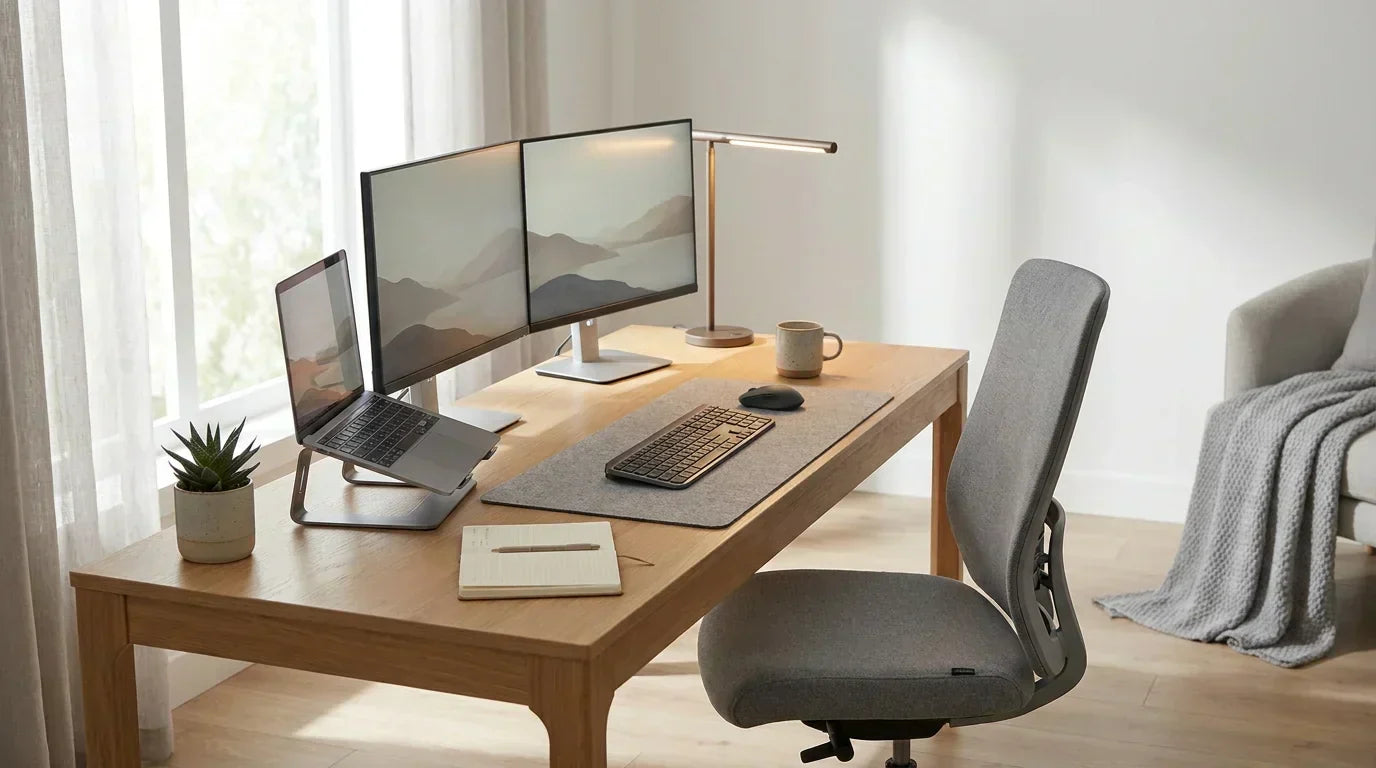
Working from home is now part of everyday life. But here’s the truth: your setup can either help you stay focused or completely drain your energy.
A smart home office setup is not just about looks. It helps you work faster, feel better, and stay organized. Whether you work full-time remote or just a few days a week, the right setup makes a huge difference.
Here, you’ll find practical home office setup ideas that improve focus, reduce stress, and help you get more done without burnout.
Why Your Home Office Setup Matters
Your workspace is more powerful than you think. It directly affects how you work, how you feel, and how productive you are every day.
Productivity Stats You Should Know
Remote work is growing fast. Millions of people now work from home, and studies show something interesting:
- People with a proper home office setup can be more productive than office workers
- A clean and organized workspace improves focus and reduces mental fatigue
- Good lighting and a comfortable chair can boost work performance
In simple words, your setup can either help you win the day or waste it.
10 Best Home Office Setup Ideas
Not every setup works for everyone. The best home office setup ideas depend on your space, budget, and work style.
Below are practical setups that solve real problems like distractions, limited space, and low productivity.
1. Minimalist Setup (for Focus)
A minimalist home office setup is perfect if you want zero distractions and maximum focus. Many people struggle with cluttered desks, which makes it harder to concentrate. A clean and simple workspace helps your mind stay clear and sharp.
What to include in a minimalist setup:
- A clean desk with no clutter
- Laptop or single monitor
- Ergonomic chair for comfort
- Simple lighting (desk lamp or natural light)
- Basic organizers (drawer or small tray)
Why it works:
A minimalist home office setup reduces visual distractions and mental overload. This helps improve focus, boosts productivity, and keeps your workflow smooth throughout the day.
2. Small Space Setup (Apartments)
If you live in a small apartment, setting up a home office can feel tricky. But you don’t need a full room to create a productive workspace. The goal is to use your space smartly and still have a setup that feels separate from your daily life.
What to include in a small space setup:
- A compact desk (corner desk or wall-mounted desk)
- A comfortable but space-saving chair
- Vertical storage like shelves or wall racks
- Foldable or multi-purpose furniture
- A small lamp or access to natural light
Why it works:
A small home office setup creates a clear work zone, even in limited space. This helps your brain switch into “work mode,” improves focus, and keeps your work and personal life separate.
3. Budget Setup
You don’t need to spend a lot of money to create a productive home office setup. Many people think they need expensive gear, but that’s not true. A smart budget setup focuses on essentials that actually improve your work, not just your desk’s look.
If you’re just starting out or trying to save money, this setup helps you stay productive without breaking the bank. The key is to choose simple, functional items that get the job done.
What to include in a budget home office setup:
- A basic desk or sturdy table
- A comfortable chair (add a cushion if needed)
- Good lighting (natural light or an affordable lamp)
- Laptop stand or stacked books for better screen height
- Simple organizers to reduce clutter
Why it works:
A budget home office setup removes unnecessary expenses and focuses on what truly matters: comfort and usability. This helps you stay productive while keeping your costs low, making it perfect for beginners or remote workers on a tight budget.
4. Aesthetic Setup (Pinterest Style)
An aesthetic home office setup is all about creating a space that looks good and feels good. Many people want a workspace that motivates them to sit down and work every day. When your setup looks clean, cozy, and visually pleasing, you naturally feel more inspired.
This setup is popular on Pinterest because it combines style with comfort. But it’s not just about looks, it also helps improve your mood and reduce stress while working from home.
What to include in an aesthetic setup:
- A clean desk with matching colors (white, beige, or soft tones)
- Warm lighting (LED strips or soft desk lamps)
- Plants or small decor items
- Wall art or simple frames
- Cable management to keep things neat
Why it works:
An aesthetic home office setup creates a positive and calming environment. When your workspace feels good, you feel more motivated to work, stay consistent, and avoid burnout.
5. Ergonomic Setup (Health-Focused)
If you work long hours, an ergonomic home office setup is not optional it’s necessary. Many remote workers deal with back pain, neck strain, and low energy because of poor posture and bad furniture.
This setup focuses on your health. It helps your body stay in a natural position so you can work longer without pain or fatigue. Over time, this can also prevent serious issues.
What to include in an ergonomic setup:
- An ergonomic chair with proper back support
- Desk at the correct height (elbows at 90°)
- Monitor at eye level (use a stand if needed)
- Keyboard and mouse placed comfortably
- Footrest if your feet don’t touch the floor
Why it works:
An ergonomic home office setup reduces physical strain and improves posture. This helps you stay comfortable, avoid injuries, and maintain consistent productivity throughout the day.
6. Dual Monitor Setup (Productivity)
If you often switch between tabs, tools, or documents, a dual monitor setup can save you a lot of time. Professionals use this setup to handle multiple tasks without constantly minimizing and reopening windows.
Instead of working on one small screen, you get more space to organize your work. This makes everything faster and smoother especially for tasks like research, writing, coding, or managing data.
What to include in a dual monitor setup:
- Two monitors (same size for better balance)
- Monitor stand or adjustable arms
- Laptop or desktop with dual-screen support
- External keyboard and mouse
- Clean desk space for proper alignment
Why it works:
A dual monitor home office setup reduces time wasted on switching tabs and improves workflow. This helps you work faster, stay organized, and handle multiple tasks without losing focus.
7. Standing Desk Setup
Sitting all day can lead to back pain, poor posture, and low energy. A standing desk setup gives you the flexibility to alternate between sitting and standing, keeping your body active while you work. Many remote workers swear by this setup to stay alert and reduce fatigue.
This setup works well for people who want to move more during the day without interrupting their workflow. It also helps break the monotony of long hours at a desk.
What to include in a standing desk setup:
- Adjustable standing desk (manual or electric)
- Anti-fatigue mat for comfort
- Ergonomic chair for sitting breaks
- Monitor at eye level
- Minimal desk clutter to allow movement
Why it works:
A standing desk setup promotes better posture, increases energy, and reduces health risks from prolonged sitting. Alternating between sitting and standing keeps you engaged and more productive throughout the day.
8. Cozy Setup (Comfort Vibe)
Sometimes productivity isn’t just about minimalism or strict ergonomics, it’s about feeling comfortable and relaxed. A cozy home office setup creates a warm, inviting space that makes you actually want to work. Many remote workers use this style to reduce stress and make long workdays feel easier.
Comfortable surroundings can improve focus because your brain associates your workspace with calm and safety, rather than tension and stress.
What to include in a cozy setup:
- Soft, supportive chair or small couch
- Warm lighting (lamp or fairy lights)
- Blanket or cushion for extra comfort
- Personal touches like photos, plants, or décor
- Small side table for coffee, water, or snacks
Why it works:
A cozy home office setup boosts mood and reduces stress. When your space feels comfortable, you’re more likely to stay focused, enjoy your work, and avoid burnout.
9. Tech-Optimized Setup
A tech-optimized home office setup is perfect for people who rely heavily on gadgets, software, and fast internet to get work done. Many remote workers face frustration with slow devices, messy cables, or poor connectivity, this setup solves those issues.
By organizing your tech and optimizing your tools, you can streamline work, reduce interruptions, and improve overall productivity.
What to include in a tech-optimized setup:
- High-speed internet connection
- Laptop or desktop with sufficient RAM
- External keyboard and mouse for efficiency
- Cable management system to avoid clutter
- Surge protector and backup storage (external hard drive or cloud)
Why it works:
A tech-optimized home office setup ensures smooth workflow and minimal downtime. When your devices and tools are ready and reliable, you can focus on work instead of troubleshooting tech problems.
10. Creative Workspace Setup
A creative workspace setup is ideal for people who rely on inspiration and innovation for their work, like designers, writers, or marketers. Workers feel stuck in a dull workspace, which can kill ideas and motivation. A creative setup sparks imagination and keeps your mind active.
This setup combines functionality with personality, helping you think outside the box while staying productive.
What to include in a creative workspace setup:
- Colorful desk or wall accents
- Whiteboard or corkboard for brainstorming
- Inspiring art or motivational quotes
- Flexible desk space for different tasks
- Tools and supplies within easy reach
Why it works:
A creative home office setup stimulates your mind and encourages innovative thinking. When your workspace inspires you, you feel more motivated, engaged, and ready to tackle challenging tasks.
Pro Tips to Boost Productivity
Even with the best home office setup, small habits make a big difference. Follow these simple tips to stay focused and get more done:
- Stick to a Routine: Start and end work at the same time every day. Your brain learns when it’s work time.
- Take Short Breaks: Step away for 5–10 minutes every hour. Stretch, walk, or grab water to recharge.
- Keep Your Desk Clean: Only keep what you need on your desk. Less clutter = less distraction.
- Set Boundaries: Let others know your work hours. Fewer interruptions help you focus better.
These simple habits train your brain, reduce stress, and make work feel easier. Consistency + a tidy space = more focus and better results.
Make Your Home Office Work for You
Your perfect home office doesn’t have to happen overnight. Start small, choose one setup idea, add a comfortable chair or better lighting, and build from there. Small changes add up fast, and soon you’ll notice how much easier and more enjoyable work feels.
If you’re ready to upgrade your space, check out Home Desk Express. From ergonomic chairs to desks and smart accessories, everything is designed to help you stay focused, comfortable, and productive.
Key Takeaways to Start Today:
- Pick one improvement you can make this week
- Keep your desk organized and clutter-free
- Stick to a simple routine and take breaks
- Gradually add upgrades that fit your style and needs
When your workspace supports you, work stops feeling like a chore and starts feeling like something you actually enjoy. Start small, and watch your productivity and comfort grow.
If your setup is starting to come together but still feels off, the missing piece is often the layout. Even the best desk or setup won’t perform well if everything is placed poorly. To take this a step further, it’s worth learning how to design the perfect home office layout so you can position your desk, lighting, and workspace in a way that actually supports your workflow and keeps everything balanced.

Leave a comment
This site is protected by hCaptcha and the hCaptcha Privacy Policy and Terms of Service apply.