

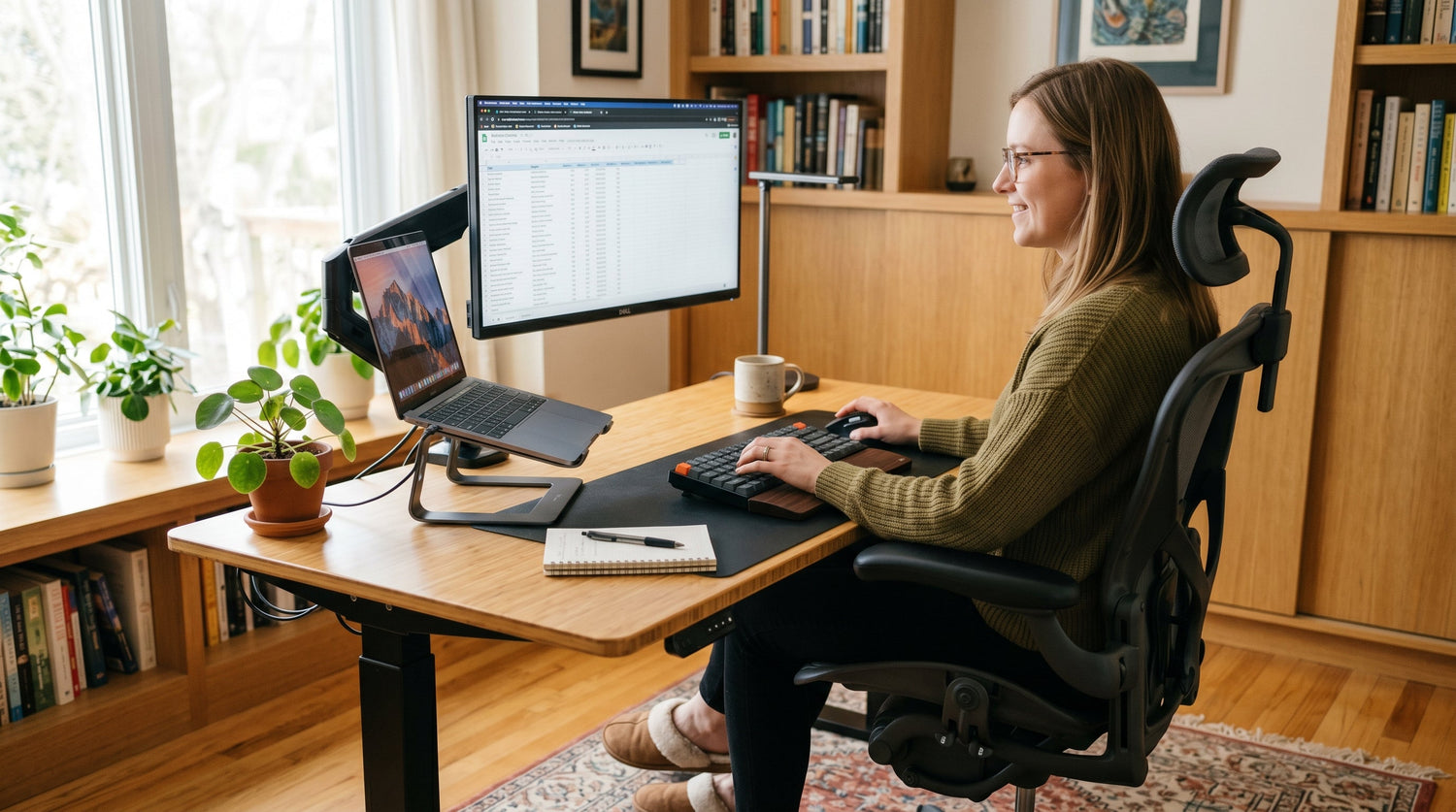
Most people build their home office around what fits the room, not what fits their body. A year later they have persistent neck tension, lower back pain that appears by mid-afternoon, and wrists that ache after long sessions. The setup looked fine. It just was not built for eight hours a day.
An ergonomic home office setup changes that. It aligns your workstation to how your body naturally holds itself, which removes the accumulated physical stress that causes discomfort over time. The adjustments are specific, the measurements matter, and none of them require expensive equipment.
This guide covers every element of a properly calibrated ergonomic workspace: desk height, monitor position, chair adjustment, keyboard placement, lighting, and layout. Follow it and you will notice the difference within a week.
- What Ergonomic Actually Means for a Home Office
- Desk Height: The Foundation of Everything
- Chair Setup: Five Adjustments That Change Everything
- Monitor Position and Eye Level
- Keyboard and Mouse Placement
- Lighting: Natural and Artificial
- Room Layout and Movement
- Building an Ergonomic Setup on a Budget
- The Five Most Common Ergonomic Mistakes
- Frequently Asked Questions
1. What Ergonomic Actually Means for a Home Office
Ergonomic means designed to fit the human body rather than asking the body to adapt to the design. In a home office context, it means every element of your workstation supports a neutral posture throughout the day.
Neutral posture is the position where your muscles and joints carry the least load. Your spine maintains its natural curve, your shoulders sit relaxed and level, your elbows stay close to your body at roughly 90 degrees, and your feet rest flat on the floor. Holding this position requires almost no muscular effort, which is why you can sustain it for hours without fatigue.
Most home offices fail ergonomically because they start with the desk and chair available rather than calculating the correct measurements first. A desk that is 3 centimeters too high forces your shoulders to hunch. A monitor that sits too low pulls your neck forward by 5 degrees, which increases the effective load on your cervical spine from roughly 5 kilograms to over 18 kilograms.
Small misalignments compound over time. Building the setup correctly from the start prevents problems that are much harder to fix once they become chronic.
For a broader look at how to organize your workspace for productivity alongside physical comfort, our guide on home office setup ideas for productivity and comfort covers the full picture.
2. Desk Height: The Foundation of Everything
Correct desk height is the single most important measurement in any ergonomic home office setup. Everything else calibrates around it.
The right desk height places your elbows at approximately 90 degrees when your arms hang naturally at your sides and your forearms rest on the work surface. For most adults this falls between 68 and 76 centimeters (27 to 30 inches) from the floor. Taller people need higher desks; shorter people need lower ones.
To find your correct height, sit in your chair with your feet flat on the floor. Relax your shoulders completely. Bend your elbows to 90 degrees. The height of your forearms from the floor is your correct desk height. If your current desk does not match, adjust your chair height first. If the chair adjustment brings your feet off the floor, use a footrest.
Fixed desk vs height-adjustable desk
A fixed desk works well if it matches your measurements. Most standard desks sit at 74 to 76 centimeters, which suits people between 170 and 185 centimeters tall reasonably well.
A height-adjustable or sit-stand desk works for anyone regardless of height, and allows you to alternate between sitting and standing throughout the day. Research consistently shows that alternating postures every 30 to 60 minutes reduces fatigue and lower back strain compared to sustained sitting. Standing for 15 to 20 minutes per hour is enough to see measurable benefit.
When standing, your desk should rise to elbow height in the standing position, which is typically 10 to 15 centimeters higher than your seated setting. Most sit-stand desks adjust between 65 and 130 centimeters, covering nearly all adult heights.
If you are choosing a new desk and want guidance on dimensions and configurations, our article on choosing the right home office desk covers sizes, layouts, and what to look for before buying.
3. Chair Setup: Five Adjustments That Change Everything
An ergonomic chair is only as good as its calibration. A premium chair set up incorrectly causes the same problems as a cheap one.
Seat height
Adjust seat height until your feet rest flat on the floor with your knees at 90 degrees. Your thighs should be roughly parallel to the floor. This distributes your body weight evenly across the seat and removes pressure from the back of your thighs, which restricts circulation when a seat is too high.
Lumbar support
Position the lumbar support to sit in the natural inward curve of your lower back, typically at the level of your belt line. Lumbar support that is too high pushes the mid-back forward. Too low and it supports the seat rather than the spine. The correct position maintains the natural S-curve without forcing you to arch.
Seat depth
There should be a gap of 2 to 4 fingers between the front edge of the seat and the back of your knees. If the seat is too deep it presses against the back of your knees and cuts off circulation. Most adjustable chairs offer 5 to 8 centimeters of seat depth range, which covers most body proportions.
Armrest height
Armrests should support your forearms at the same height as the desk surface, allowing your shoulders to remain relaxed rather than shrugged. Armrests set too high raise the shoulders. Too low and they serve no support function. If your armrests cannot be lowered enough to match your desk, remove them entirely. Unsupported arms are less damaging than arms held in a raised position all day.
Backrest angle
A slight recline of 100 to 110 degrees reduces spinal disc pressure compared to sitting fully upright at 90 degrees. The upright position many people default to is actually one of the more stressful postures for the lumbar spine. A gentle recline with the lumbar well-supported is the optimal long-session position.
4. Monitor Position and Eye Level
Monitor position is where most home offices have the most obvious ergonomic failure. A screen sitting flat on a desk places the top of the monitor well below eye level, which pulls the head and neck forward throughout every session.
The top of your monitor should sit at or slightly below eye level, with the screen tilted back between 10 and 20 degrees. This keeps the head balanced over the spine rather than projected forward. For every 2.5 centimeters of forward head posture, the effective weight your neck muscles carry increases by approximately 4.5 kilograms.
The correct viewing distance is 50 to 70 centimeters from your eyes to the screen, which is roughly the length of your arm extended. Closer distances cause eye strain; further distances encourage leaning forward to read.
Dual monitor setup
If you use two monitors equally, center them together and treat them as one wide display. If one monitor is primary and one is secondary, place the primary directly in front of you and the secondary at a 30 to 45 degree angle to the side. Turning your head 90 degrees repeatedly to reference a secondary screen is one of the fastest routes to neck strain in a home office.
Laptop users
A laptop screen is almost always too low when the laptop sits on a desk. Use a laptop stand to raise the screen to eye level and pair it with an external keyboard and mouse. This single adjustment corrects neck position for the majority of laptop users who experience regular neck tension.
5. Keyboard and Mouse Placement
Your keyboard and mouse should sit at the same level as your elbows, keeping your wrists neutral and straight. A wrist that bends upward while typing is in extension; held in extension for hours, it puts sustained load on the tendons and contributes to repetitive strain injury over months.
Position the keyboard so your upper arms hang vertically from your shoulders when typing. Keep the mouse close to the keyboard rather than reaching to the side. Reaching repeatedly for a mouse placed wide of the keyboard rotates and loads the shoulder joint with each movement.
A wrist rest is useful during pauses but should not be used while actively typing. Resting your wrists on a pad while typing raises the wrists and bends the fingers downward, which actually increases tendon strain. Use the wrist rest between bursts of typing, not during them.
6. Lighting: Natural and Artificial
Lighting is the most neglected element of ergonomic home office design and one of the fastest causes of eye strain, headaches, and afternoon fatigue.
Natural light positioning
Position your desk so natural light enters from the side, not from behind you and not directly in front. Light from behind creates glare on your screen. Light directly in front creates a bright background behind your monitor that forces your pupils to contract, making the screen harder to read. Side lighting illuminates your workspace without competing with your screen.
Artificial lighting levels
Your general room lighting should be bright enough that your monitor is not the brightest light source in the room. When the screen is significantly brighter than the surrounding environment, your eyes are constantly adjusting between the two, which causes fatigue over a full working day.
Aim for ambient room lighting at roughly half the brightness of your screen. A desk lamp positioned to illuminate your work surface from the side adds targeted light without creating screen glare.
Screen brightness and color temperature
Set your screen brightness to match the ambient light level in the room rather than running it at maximum. In the evening, reduce your screen's color temperature toward warmer tones. Blue-dominant screen light in the evening suppresses melatonin production, which affects sleep quality. Most operating systems include a night mode setting that handles this automatically after sunset.
7. Room Layout and Movement
No ergonomic setup eliminates the need to move. Sustained static posture, even in a perfectly calibrated chair, causes fatigue and discomfort over time. Movement is part of the ergonomic equation.
Position frequently used items within your primary reach zone, which is the area you can access without leaning forward or twisting. Items you need less frequently can sit in your secondary zone, reachable with a slight lean. Items requiring you to stand and move should be placed deliberately further away so that accessing them forces a brief posture break.
Build movement into your routine using a simple rule: stand or walk for at least 5 minutes in every hour. Set a timer if needed. Brief movement breaks reduce lower back compression, increase circulation to the legs, and measurably improve afternoon focus and energy levels.
A well-laid-out workspace that makes movement natural rather than requiring deliberate effort is the most sustainable ergonomic strategy for full-time remote workers.
8. Building an Ergonomic Setup on a Budget
A fully ergonomic home office does not require a large investment. The highest-value changes cost nothing or very little.
The single highest-impact free adjustment is monitor height. Raising a laptop or monitor to eye level using a stack of books, a stand, or a monitor arm removes the most common source of neck strain in home offices immediately.
After that, the priority order for spending is: a chair with adjustable seat height and lumbar support, a keyboard and mouse that place your wrists in a neutral position, and a desk at the correct height for your body. A sit-stand desk adds the most value for people who sit for more than six hours daily, but it is not a prerequisite for an ergonomically sound setup.
You do not need every ergonomic product sold online. You need the correct measurements applied consistently. A $200 desk at the right height with a $150 adjustable chair will serve you better than a $1,500 setup where nothing is calibrated to your body.
9. The Five Most Common Ergonomic Mistakes
Desk too high. A desk set above elbow height forces your shoulders to shrug or your wrists to bend upward while typing. Both create strain within weeks of daily use. Measure before you buy or adjust.
Monitor too low. A monitor sitting flat on the desk places the screen center roughly 20 centimeters below eye level for most adults. Raise it to eye level with a stand or monitor arm before anything else.
Chair set by feel, not measurement. Most people set their chair height to feel comfortable rather than measuring elbow and knee angles. Measure both. A chair that feels comfortable but places your feet off the floor or your knees above your hips is not calibrated correctly.
Sitting in the same position all day. Even a perfect posture becomes damaging when held without variation for hours. Move deliberately. Alternate between sitting and standing if possible. Take brief movement breaks every hour.
Relying on willpower to maintain good posture. Posture correction through conscious effort fatigues within minutes. Ergonomic setup removes the need for effort by making the correct position the natural one. If you are constantly reminding yourself to sit up straight, the setup needs adjustment, not your discipline.
Frequently Asked Questions
What is the most important element of an ergonomic home office setup?
Desk and chair height calibration is the foundation. Everything else builds on these two measurements. Get your elbow angle at 90 degrees when seated and your feet flat on the floor, then calibrate monitor height and keyboard position from there.
How high should my desk be for an ergonomic setup?
Your desk should match your elbow height when seated with your shoulders relaxed and arms at your sides. For most adults this falls between 68 and 76 centimeters. Taller people need higher desks; shorter people need lower ones. Measure your own elbow height rather than relying on standard dimensions.
Is a sit-stand desk necessary for an ergonomic home office?
No, but it adds meaningful value for anyone sitting more than six hours daily. Alternating between sitting and standing every 30 to 60 minutes reduces lower back strain and fatigue. A fixed desk at the correct height is perfectly ergonomic for shorter working sessions.
How far should my monitor be from my eyes?
50 to 70 centimeters is the recommended range. This is roughly the distance from your eyes to your extended fingertips. The top of the screen should sit at or slightly below eye level, with the screen tilted back 10 to 20 degrees.
Can I build an ergonomic home office setup on a small budget?
Yes. The highest-impact changes cost nothing. Raising your monitor to eye level, adjusting your chair height to place your feet flat on the floor, and moving your keyboard to elbow height are all free adjustments that remove the most common ergonomic problems immediately.
How often should I take breaks in an ergonomic home office?
Stand or move for at least 5 minutes every hour. Brief movement breaks reduce spinal compression, improve circulation, and maintain afternoon focus. Even a perfectly calibrated setup cannot compensate for sustained static posture over a full working day.
What is the correct chair height for an ergonomic setup?
The correct height places your feet flat on the floor with your knees at 90 degrees and your thighs parallel to the floor. If achieving this raises your desk surface above elbow height, lower the desk or use a keyboard tray rather than raising the chair.
Does lighting affect ergonomics in a home office?
Yes. Lighting that creates screen glare or places your monitor as the brightest light source in the room causes eye strain and fatigue over a full day. Position natural light from the side, match ambient room brightness to your screen level, and use night mode settings in the evening to reduce blue light exposure.
Final Verdict
A proper ergonomic home office setup is not about buying specific products. It is about applying correct measurements to whatever setup you have and adjusting from there. Most people can eliminate 80 percent of their workspace discomfort with free adjustments made in an afternoon.
Start with desk height and chair calibration. Add monitor height correction. Position your keyboard and mouse at elbow level. Sort your lighting. Build movement into your working day. Each step compounds the last.
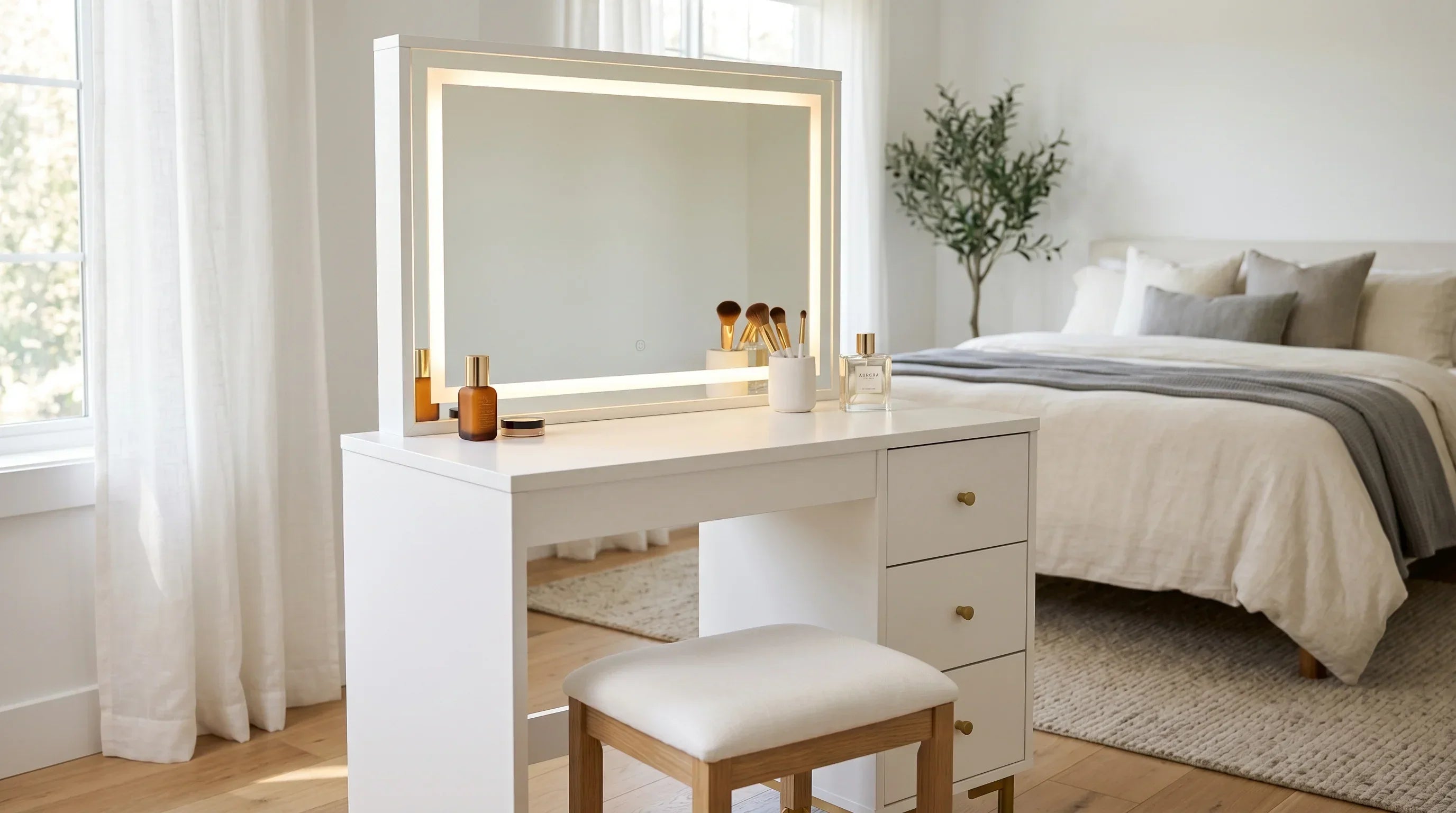
And if your workspace doubles as a personal space, a vanity desk with the right lighting setup can serve both functions without compromise. Our guide on the best vanity desk with mirror and LED lights covers exactly what to look for if you want a desk that works for both your morning routine and your workday.

Leave a comment
This site is protected by hCaptcha and the hCaptcha Privacy Policy and Terms of Service apply.